Sharing your ~/.claude config with Docker Sandbox
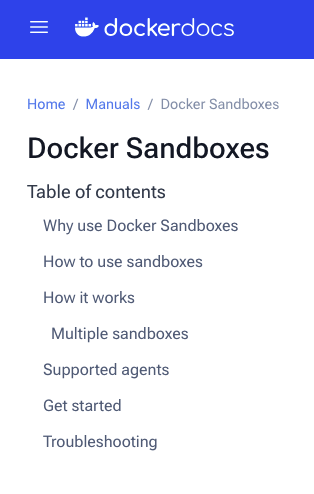
I wanted to run Claude Code in YOLO mode but isolated from my actual machine. Docker has Docker Sandbox for exactly that: a CLI wrapper and a set of Docker image templates that give you a contained environment on top of regular Docker facilities. Nice in theory.
The problem: by default Docker Sandbox does not share ~/.claude. So your skills, your settings, your prompts… all gone. Every sandbox starts blind.
And the other thing that bothered me: their docs recommend putting your ANTHROPIC_API_KEY in your .zshrc so the sandbox inherits it. That’s a big no for me. I don’t want my API key injected into every environment I spin up.
So here’s what I figured out.
The working setup
First, run Claude Code with your project and your ~/.claude directory mounted:
docker sandbox run claude ~/projects/my-project ~/.claude
Claude will start, you can set the color theme if you want, then close it with CTRL+C before doing anything with the key. You just need the sandbox to exist.
Now exec into the container, you need to find its name with docker sandbox ls:
docker sandbox exec -it claude-my-project bash
Inside the container, create a symlink from the mounted path back to where Claude Code expects its config:
# replace emmanuel with your username, or use the full path on Windows
# !!!! Make sure to run this IN YOUR SANDBOX, NOT ON YOUR HOST!!!
rm -fR ~/.claude
ln -s /Users/emmanuel/.claude ~/.claude
Then restart the sandbox:
docker sandbox run my-project
That’s it. Your .claude directory is now shared and Claude Code finds it exactly where it expects.
When you restarts claude, it might ask you the first time to login via your Claude Subscription. It’s because on macOS, they are not stored under ~/.claude but in the keychain.
One thing I wish I could do
I’d love to mount that volume read-only. Feels cleaner. But Claude Code needs write access to ~/.claude: it stores credentials there after auth, plus its working files: memory, plans, and whatever else it accumulates during a session. So read-only is out for now.
The key setup still happens interactively when Claude Code first runs, which is fine by me. No key in .zshrc, no key in the environment by default. Just prompted once, stored in the shared config, and reused from there.
Not the most elegant solution but it works and it keeps my main machine clean.


Comments